Internet down? Keep selling.
A paired till saves every sale with its own receipt number and syncs it the moment the connection comes back. Your manager sees anything that needs a second look.
● Offline · 14 sales saved✓ Synced
Topex Store is the point of sale, stock room and back office for Ghanaian shops with one branch or many. It keeps selling when the internet drops.
From the first sale of the morning to the day close at night, every part of running your shops lives in one app.
A paired till saves every sale with its own receipt number and syncs it the moment the connection comes back. Your manager sees anything that needs a second look.
Sales, cash in drawers and best sellers, side by side.
Owner, admin, manager and cashier, each with the right powers. Every shift counted note by note.
Suppliers, purchase orders, receiving, profit and loss and a full balance sheet, in PDF, Excel or CSV.
Real screens from Topex Store. Click through the till, payments, reports, stock and plans.
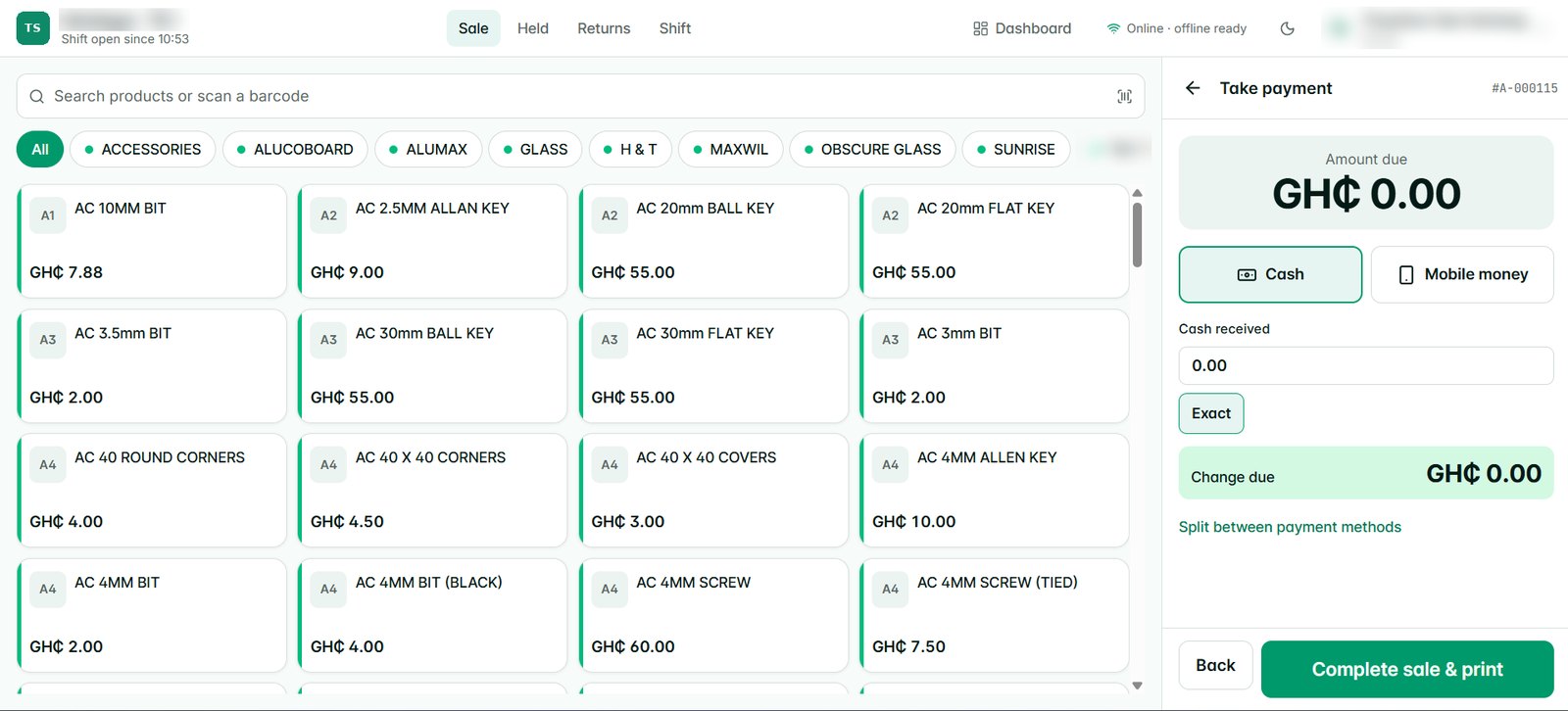
Category tabs, a product grid built for touch screens, barcode scanning and a payment panel always in reach. Hold a sale, split a payment, print or text the receipt.
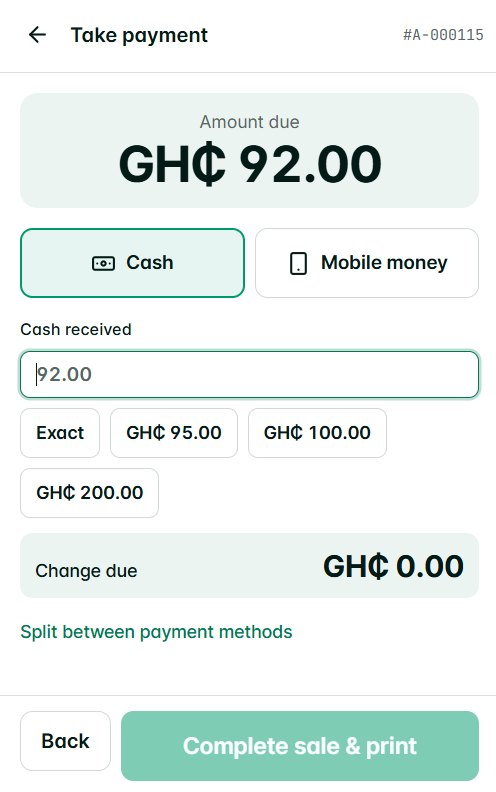
Quick-cash buttons, change worked out for you, and any sale split across Cash, Mobile Money, card, bank transfer or store credit.
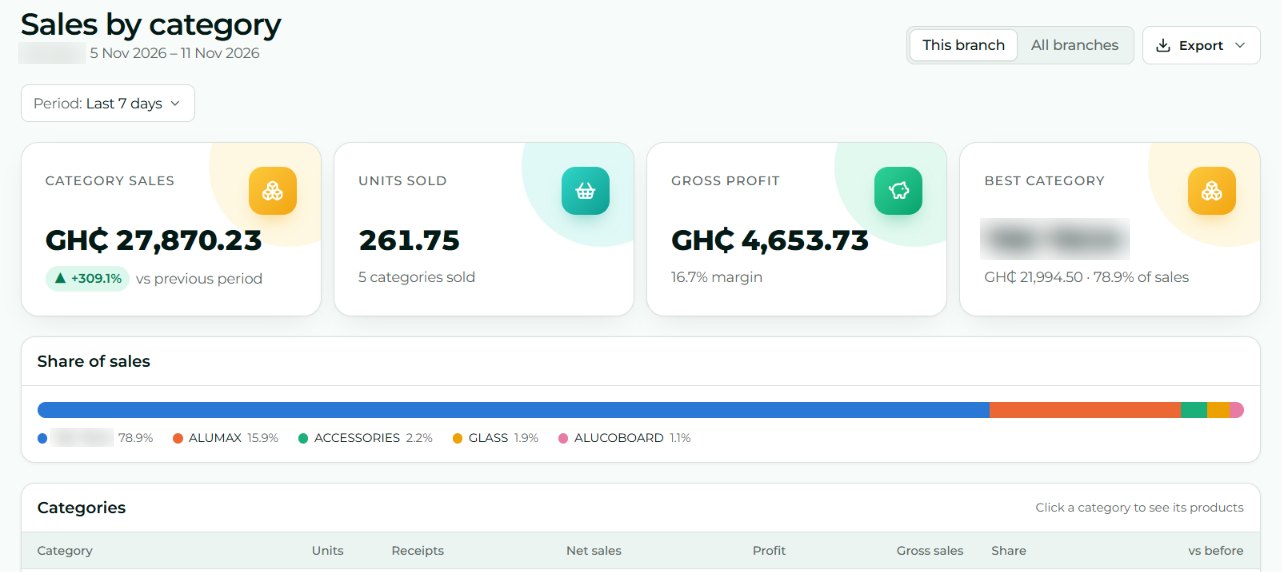
Sales by category, product, cashier, hour and payment method, compared with the previous period. Export any report to PDF, Excel or CSV.
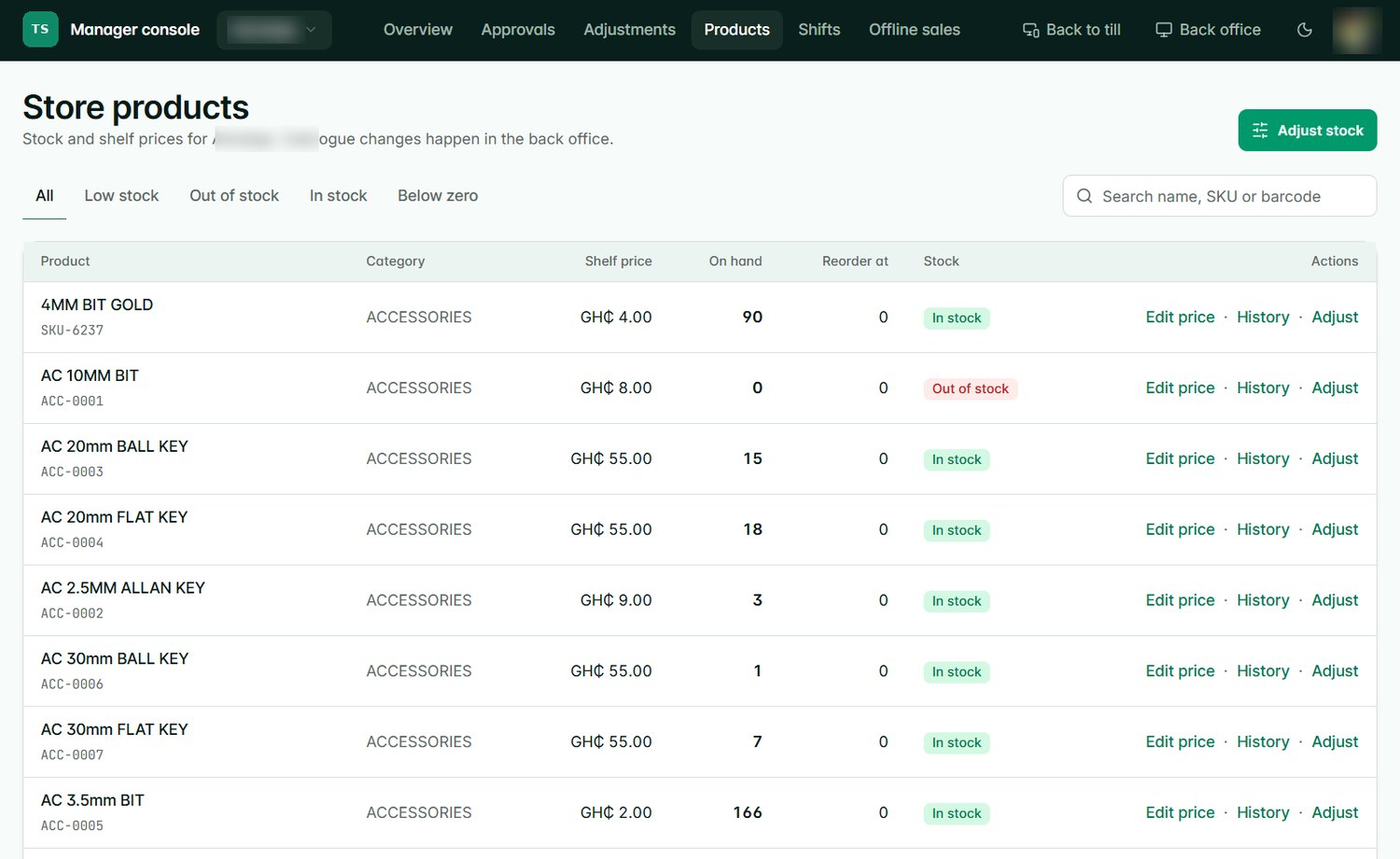
Shelf prices, on-hand stock, low and out-of-stock filters and the full history of every product, for each store.
See your plan and how much of it you use. Open a new branch and the plan moves up by itself; you are told every time.
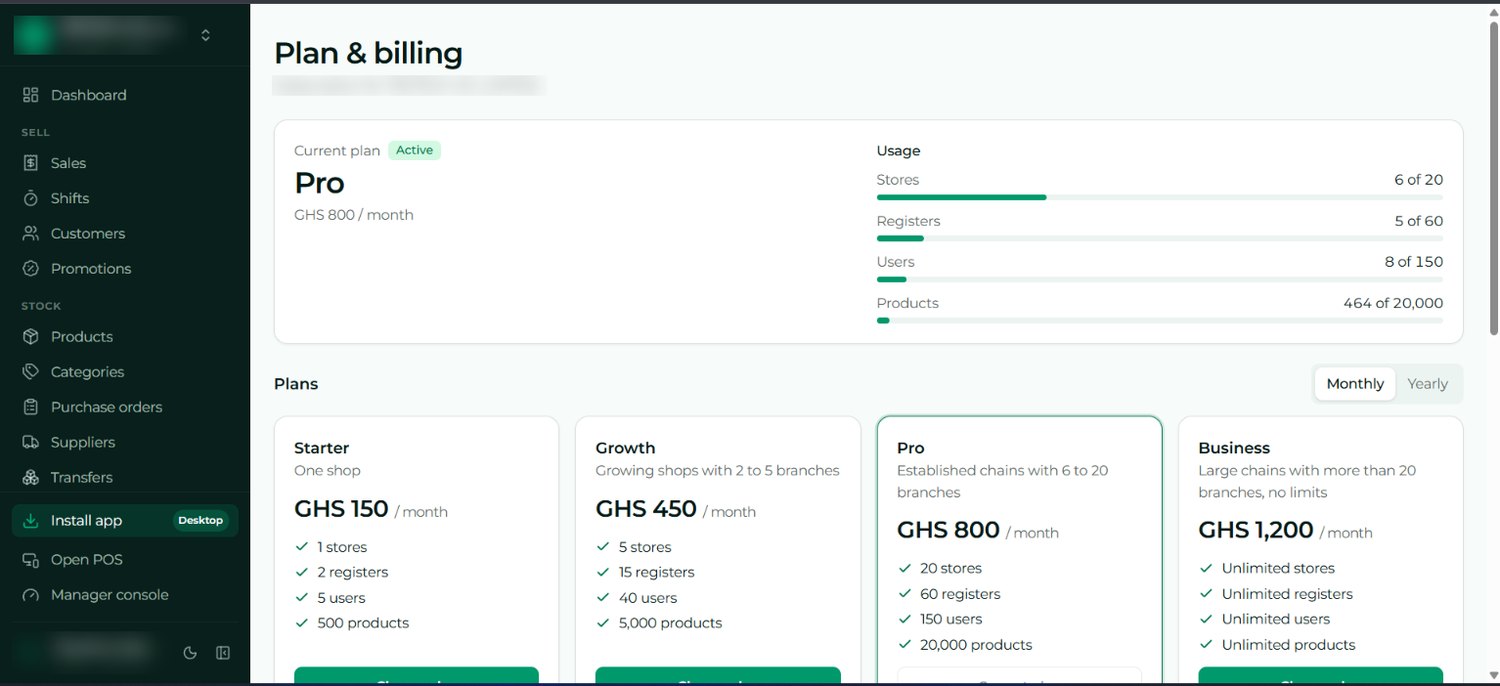
Screens from a live business, with its names hidden for privacy.
Sign up and set up your business, stores and first till in minutes. Prefer help? Our team can set it up for you.
Create your businessImport products from a spreadsheet and invite your admins, managers and cashiers by email.
Install it on a computer, tablet or phone, count the float and make your first sale.
Your plan follows your number of open branches and changes automatically. You are told every time it does.
Every screen, every role and every setting, explained step by step with diagrams. Perfect for owners deciding, and for staff learning the till.
Yes. A paired till keeps selling offline, gives every sale a receipt number and syncs it when the connection returns.
Any computer, tablet or phone with an up-to-date browser. It installs like an app. Add a receipt printer or barcode scanner if you like.
Yes, along with cash, card, bank transfer and store credit. One sale can be split across several methods.
Each business is fully separate from every other. Data is backed up daily, encrypted, and owners and admins can turn on two-step sign-in.
You can, in a few minutes: sign up at topexstore.com and create your business. If you prefer, our team sets up your business and stores, helps you import your products, then hands ownership to you.
Add the store and your plan moves to the size that fits. Close one and it moves back down. You are told every time.